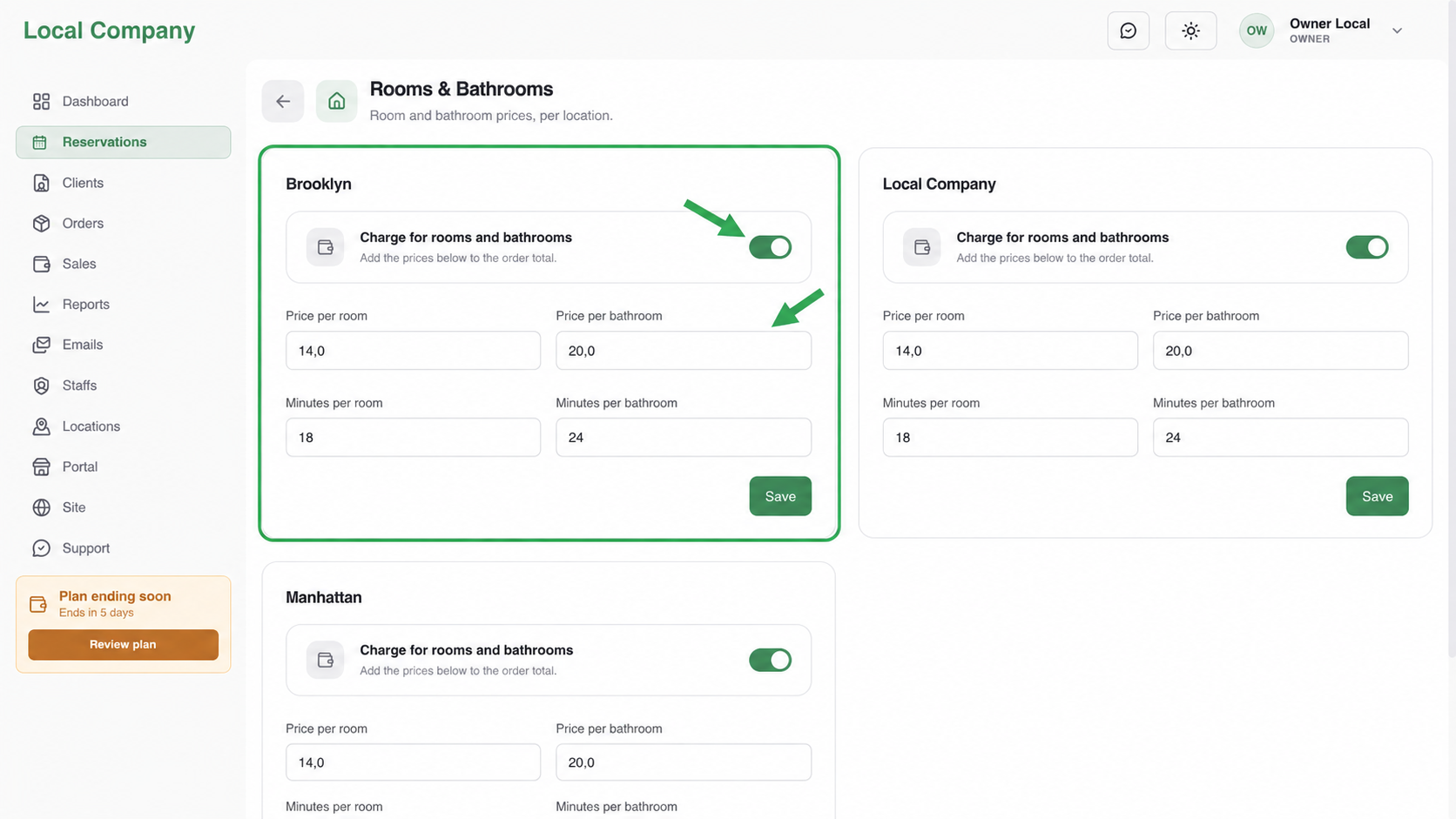
Enable room-based inputs for the location, then set Price per room, Price per bathroom, Minutes per room, and Minutes per bathroom. Price fields change the total; minute fields change calendar duration. Save and test with different counts.
Before you begin
Choose this model only when it matches how your team quotes and performs the work. Keep unrelated pricing switches off until you have a clear reason to combine them.
Configure it
Open Reservations → Cleaning Settings and select the matching card. Enter customer-facing prices and realistic minutes, then save the location-specific settings.
Use separate values for rooms and bathrooms when bathrooms take longer or carry a different charge. Configure every location independently when branches use different rates.
Not sure whether this is the right model? Start with Understand your pricing models.
Combine carefully
This model can be used alone or combined with property details, condition markup, packages, or individual services. Each enabled option should represent a real business decision the customer can understand.
Related pricing guides
- Choose between property-based pricing models
- Use square area instead of room counts
- Add a condition markup to room-based pricing
Verify the result
Make a test booking for the same location. Confirm the displayed total, selected options, and available end time. If the amount is right but the calendar is wrong, review minutes rather than changing the price.