Set up the first location, choose the pricing model, add services and cleaners, configure the booking portal, and run one test booking. Keep the first public setup simple, then add optional pricing rules after the basic flow works.
1. Set up the company foundation
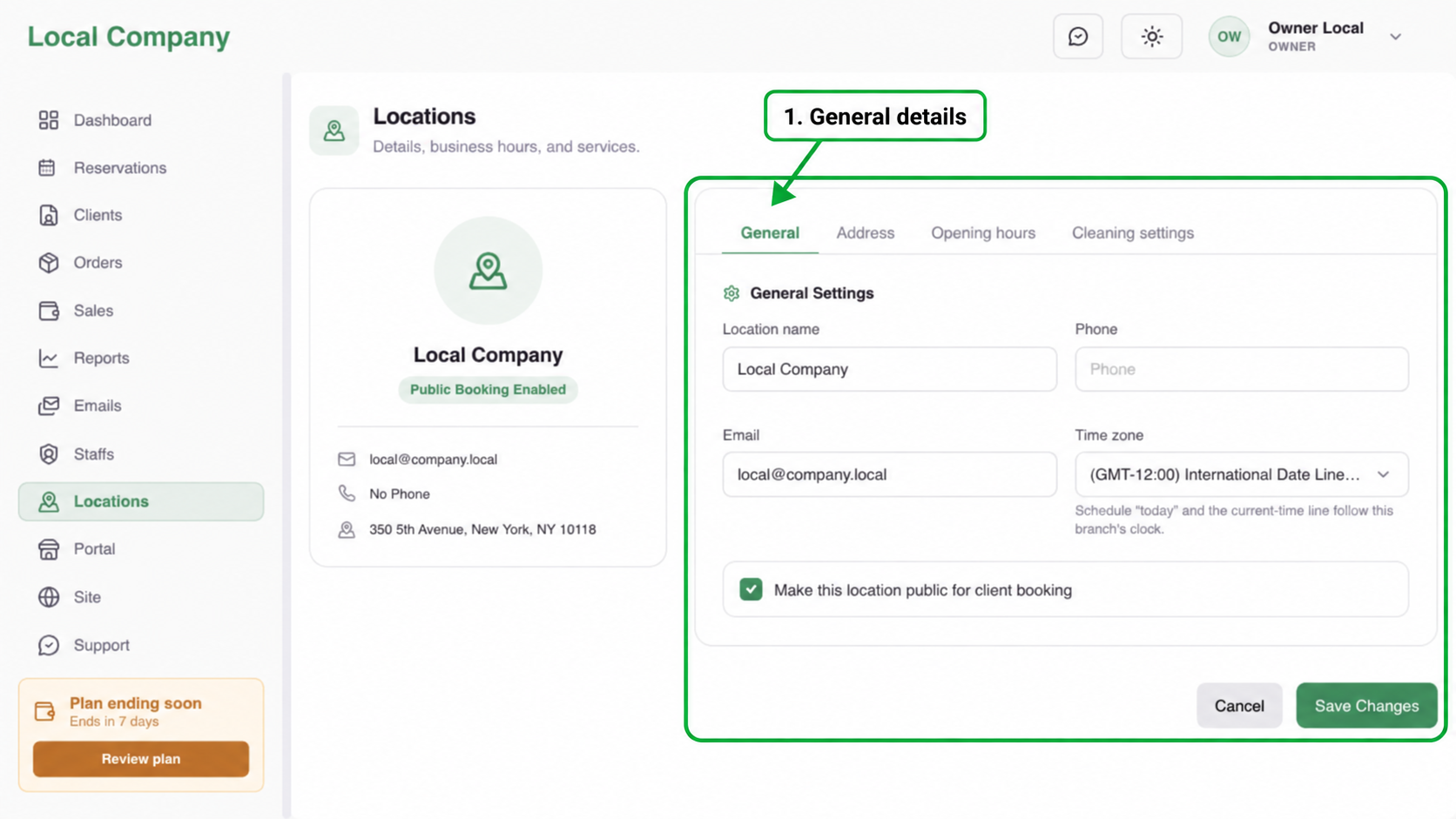
Start with Locations. Check the location name, public booking status, time zone, address, and weekly opening hours. These settings define where customers can book and which dates the calendar can offer.
2. Choose a pricing model
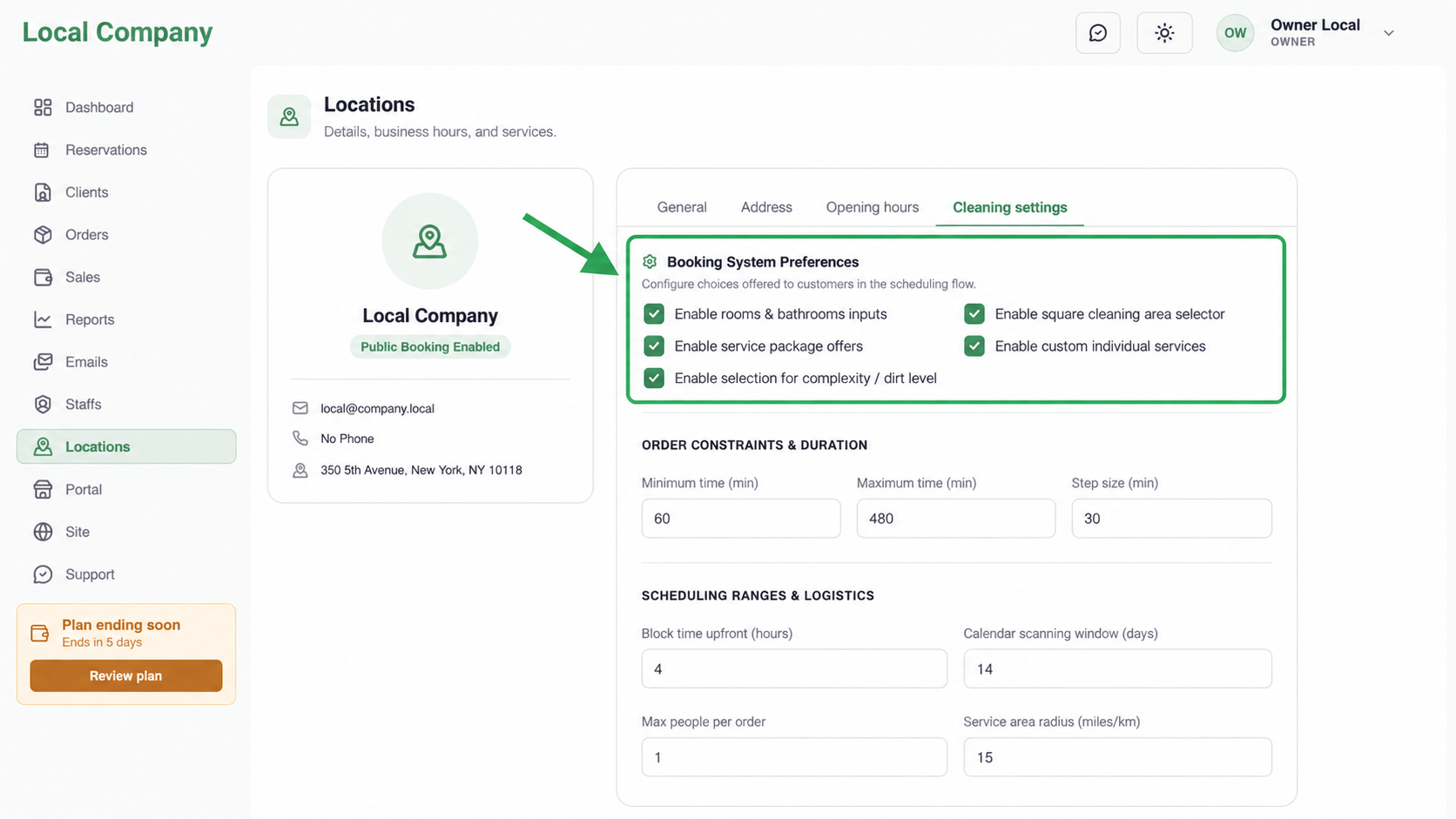
Open Reservations → Cleaning Settings and choose the simplest model that matches how the team quotes jobs. Use rooms and bathrooms for property counts, square area for measured space, time packs for prepared offers, and individual services for optional extras.
3. Add services and cleaners
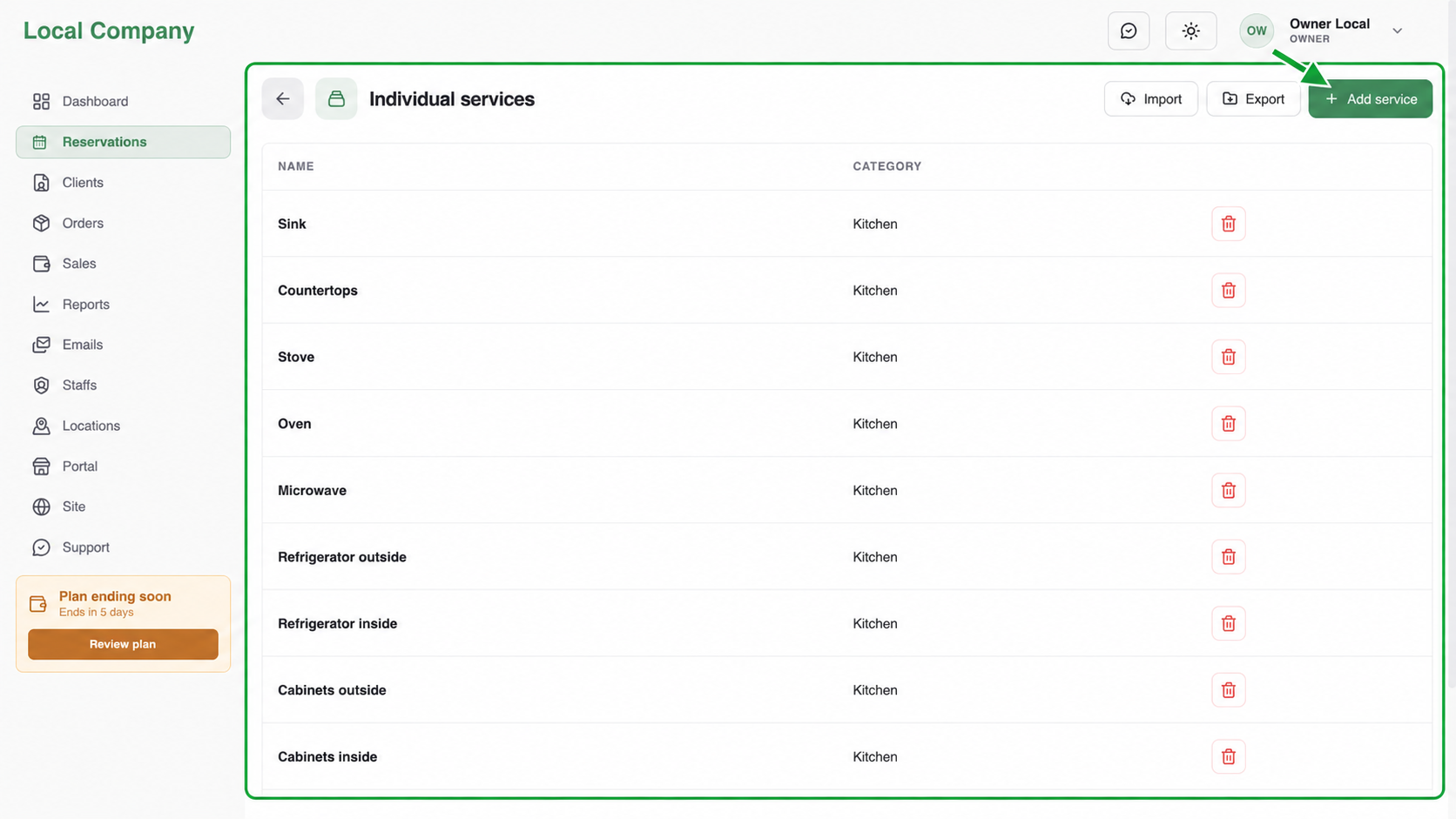
Create service categories before individual services. Add a customer-facing name, price, duration, and quantity rule. Then add at least one active cleaner and assign the cleaner to the location with working availability.
4. Test before launch
Open the customer portal in a private browser window and complete one booking. Compare the displayed total and duration with the company calendar. Fix the source setting instead of editing the reservation manually.
Owner launch checklist
- Location is public and uses the correct time zone.
- Opening hours and breaks are correct.
- Pricing and services are customer-friendly.
- At least one cleaner is available.
- A test booking appears correctly in the calendar.